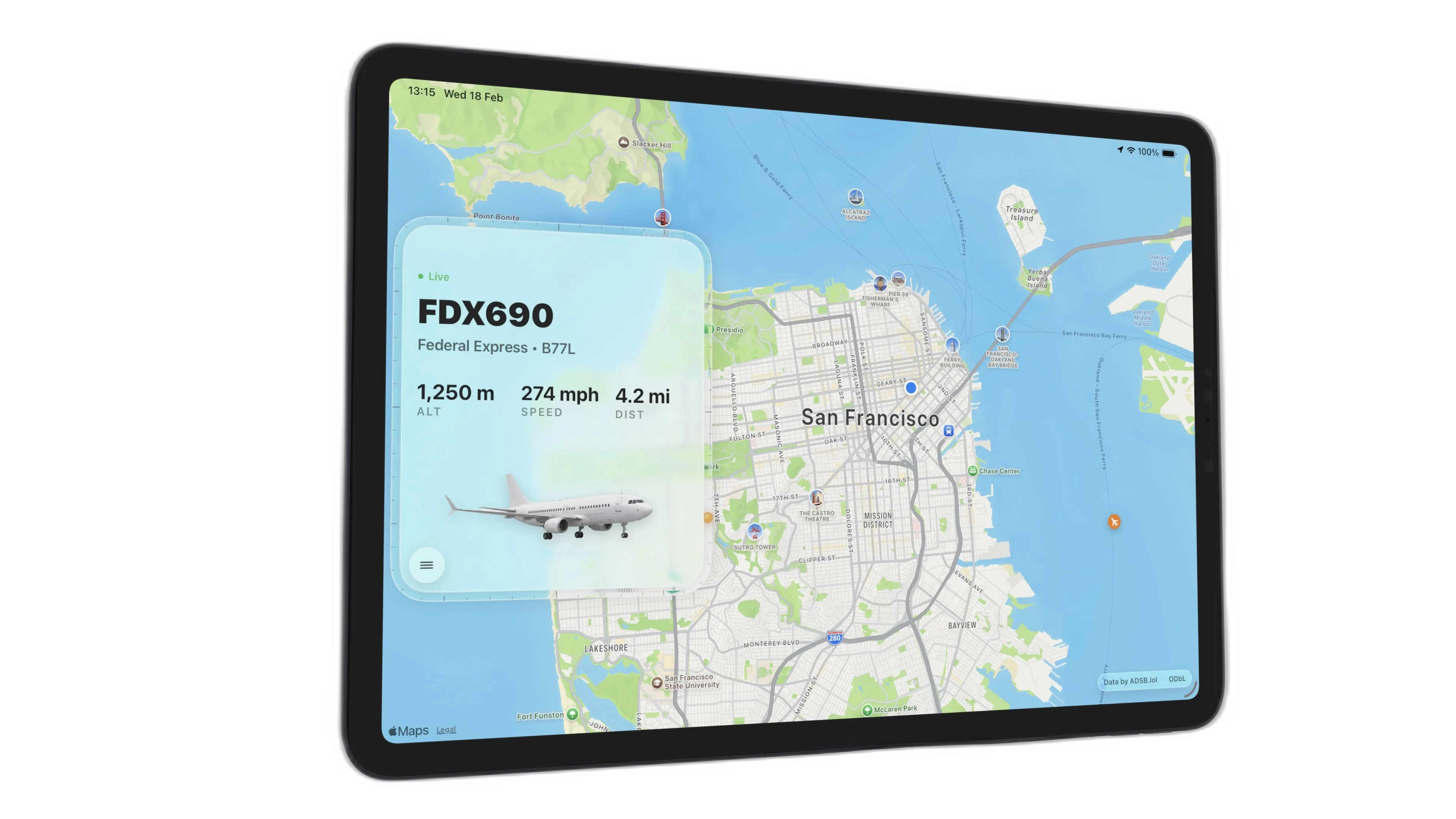
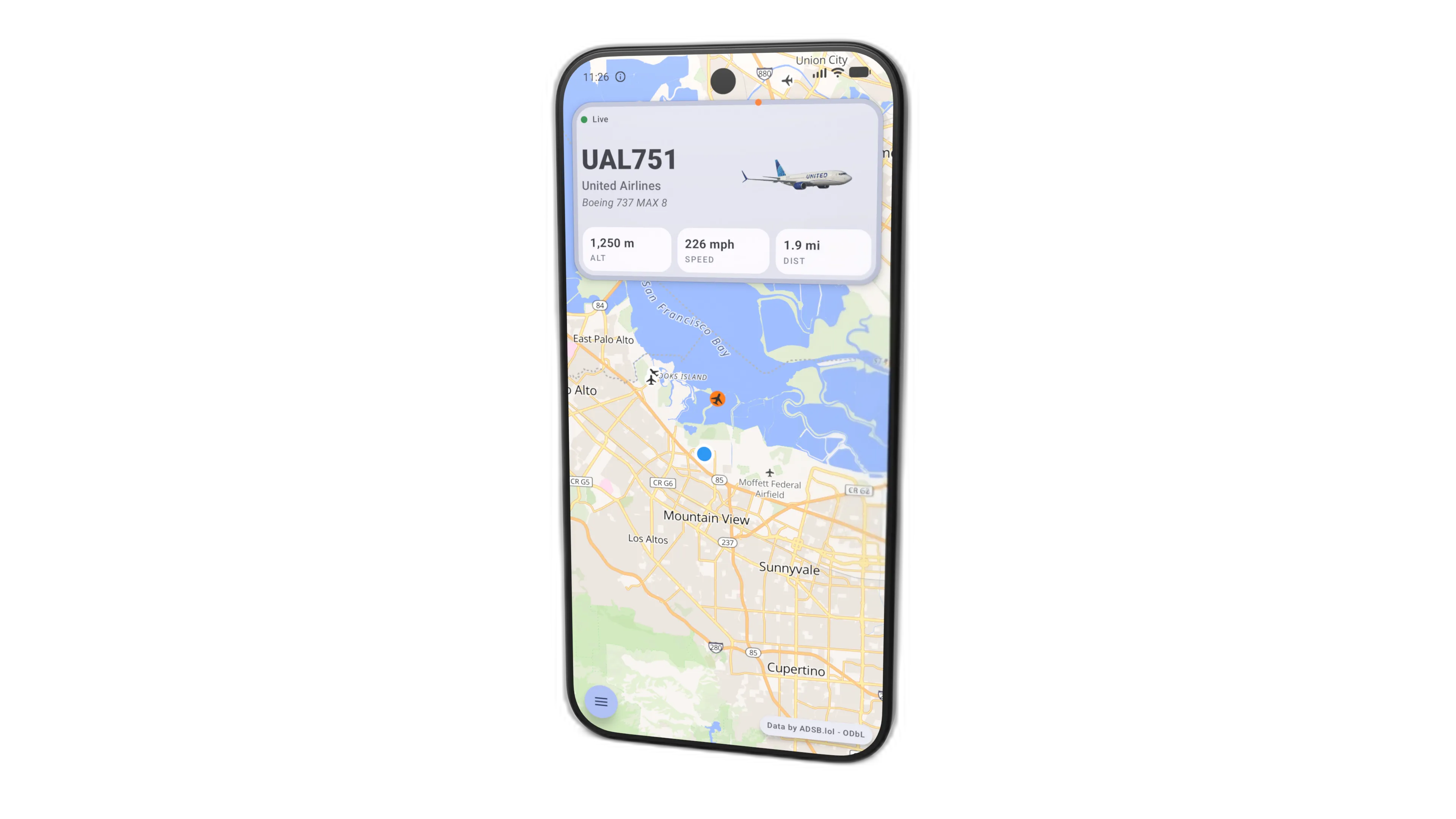
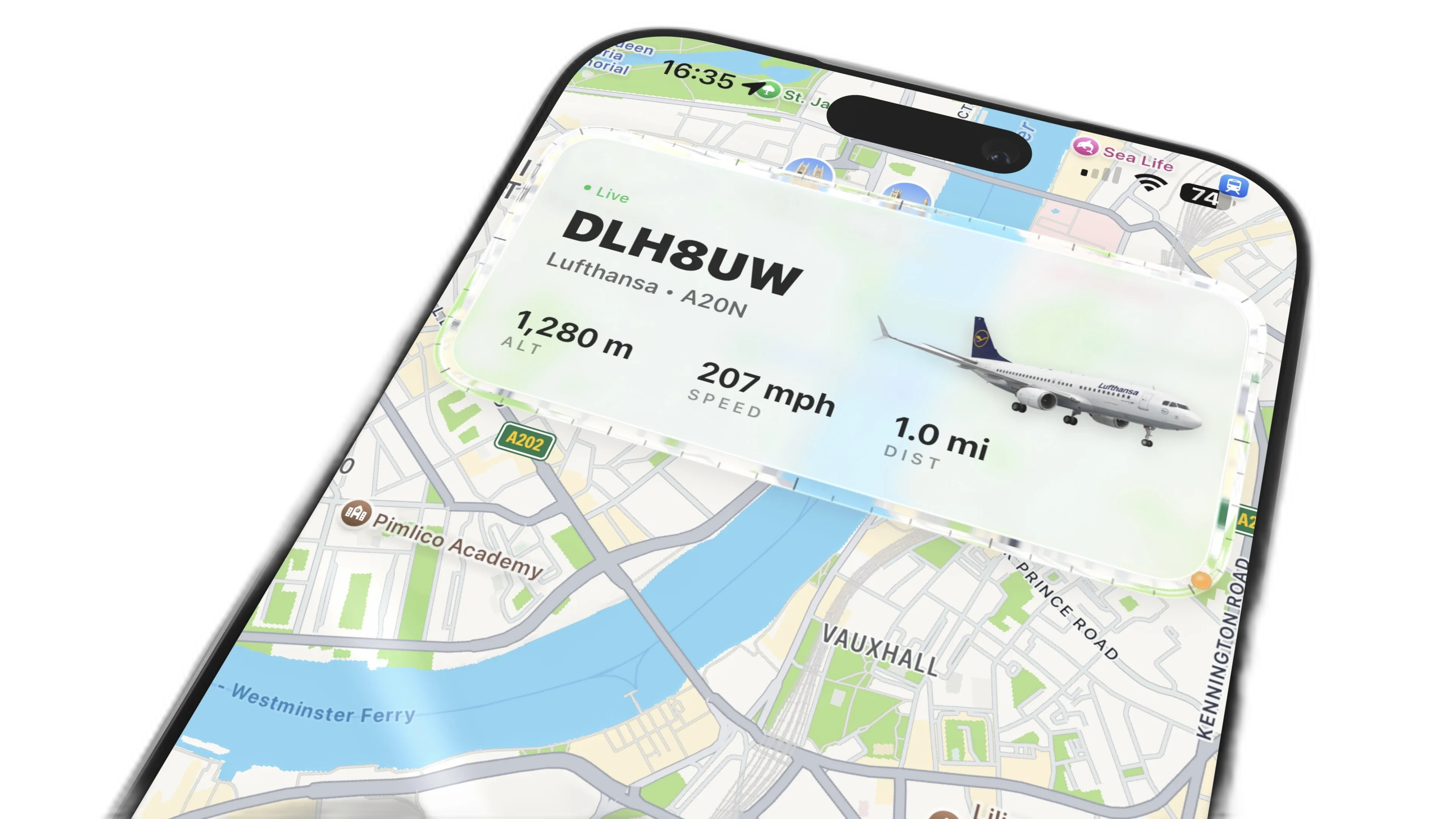
Identify Any Plane Overhead. Instantly.
A live aircraft tracker for your iPhone and iPad Home Screen. See the nearest plane, airline, altitude, speed and direction at a glance.
A live aircraft tracker for your iPhone and iPad Home Screen. See the nearest plane, airline, altitude, speed and direction at a glance.
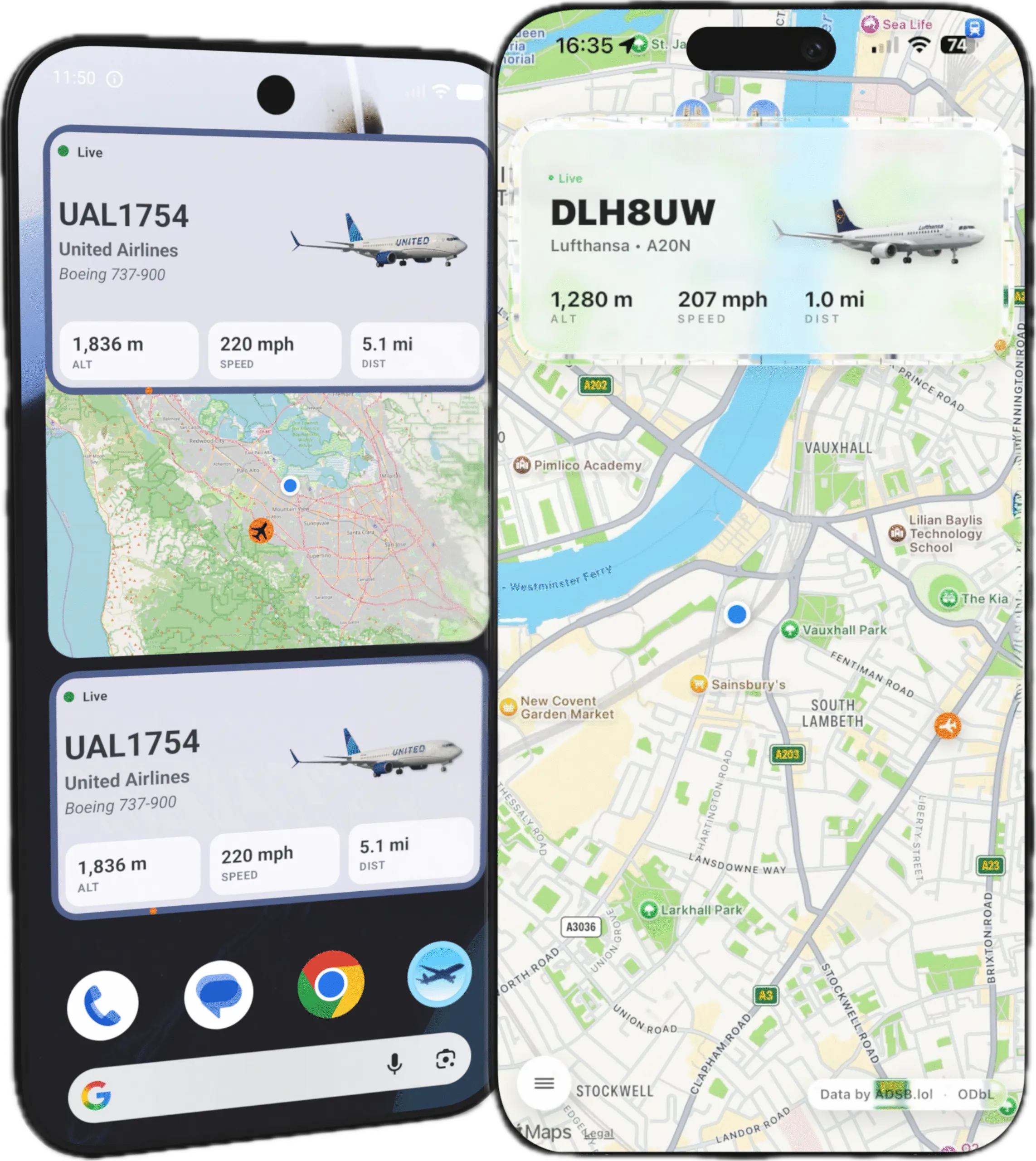
What Plane? was built to answer one question — fast: what's that aircraft overhead? Add the widget to your Home Screen and tap to refresh. Tap the custom aircraft icon to jump straight into the live map.
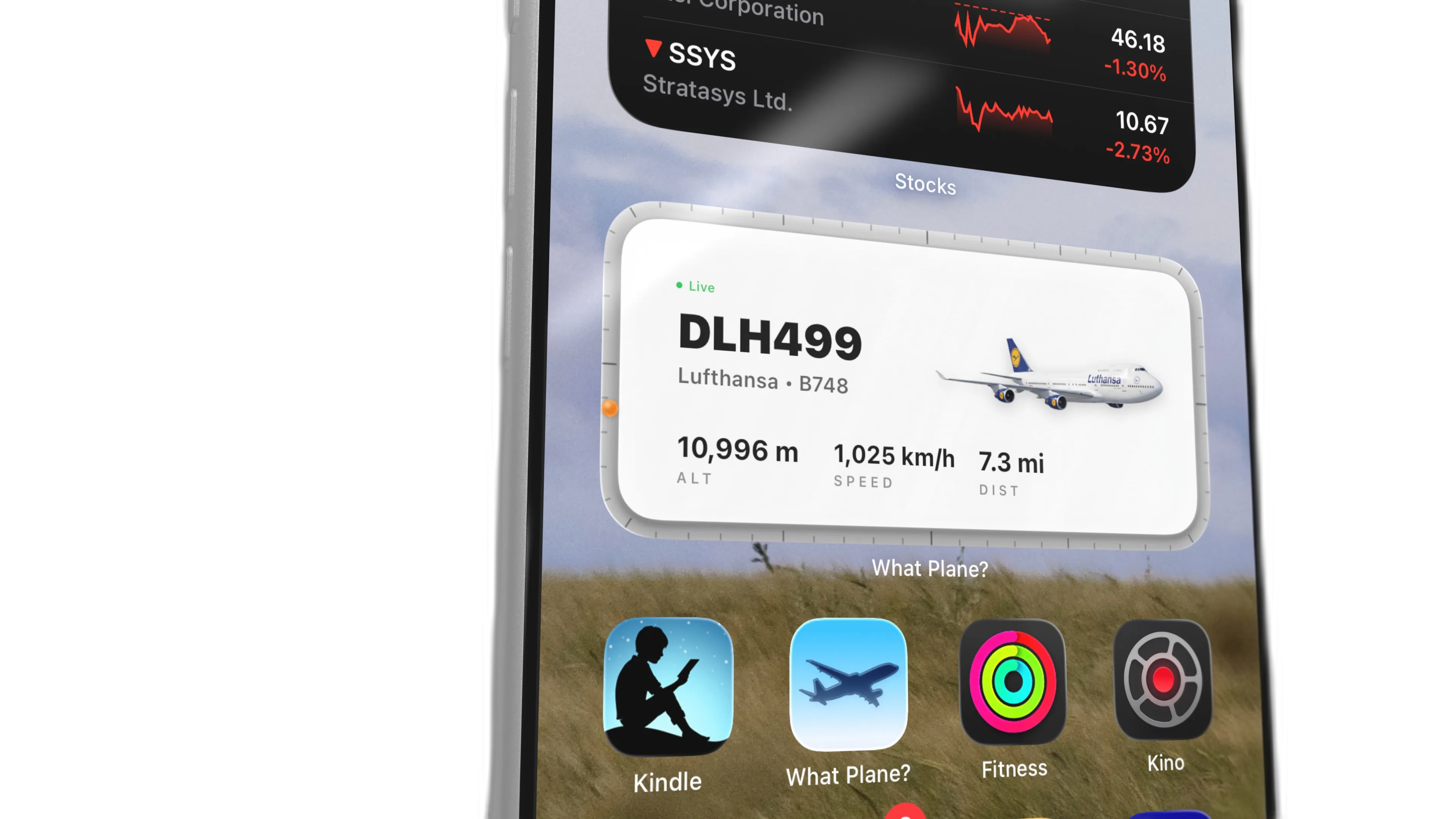
The panel border doubles as a bearing indicator, showing the aircraft's direction relative to you. When an aircraft is overhead, the widget brings it to life with airline-specific liveries and aircraft models.
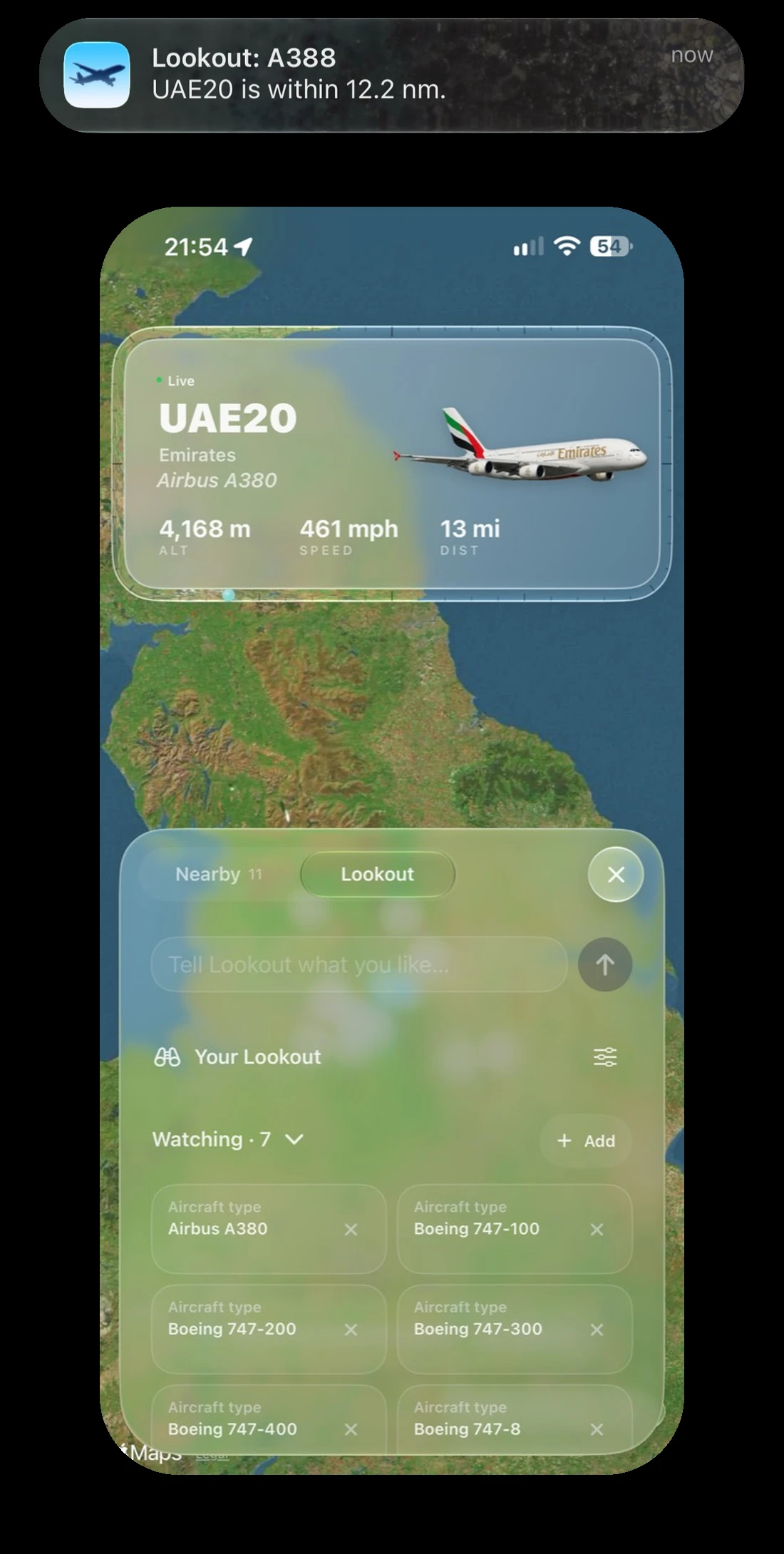
Military aircraft. Giant airliners. Your favourites.
Get a heads-up when they’re nearby. Take your chance to spot them.
Missed something? Ask the Pro chat what flew over earlier, using your recorded flight history.
Optional paid subscription

WhatPlane Quiz teaches the visual clues behind 84 aircraft types, then tests your recall with short lessons, lookalike comparisons and focused model quizzes.
Get from launch to live tracking in seconds.
Share your location once so What Plane? can detect nearby aircraft.
See the closest aircraft, live stats, and your Compass Ring bearing instantly.
Tap into rich aircraft details and browse all planes in range within 30 nm.
Light, dark, portrait, landscape — every combination feels native.
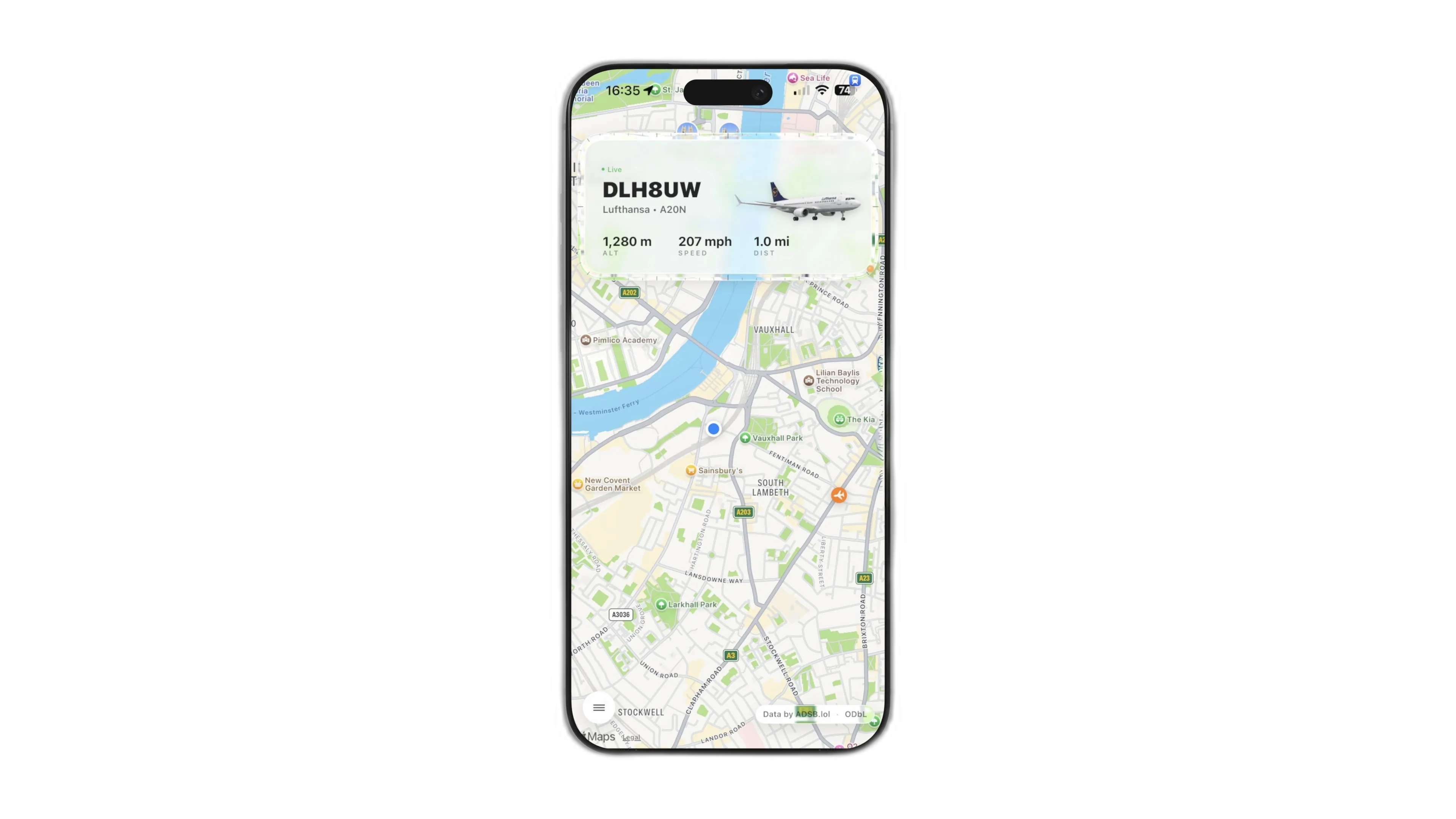
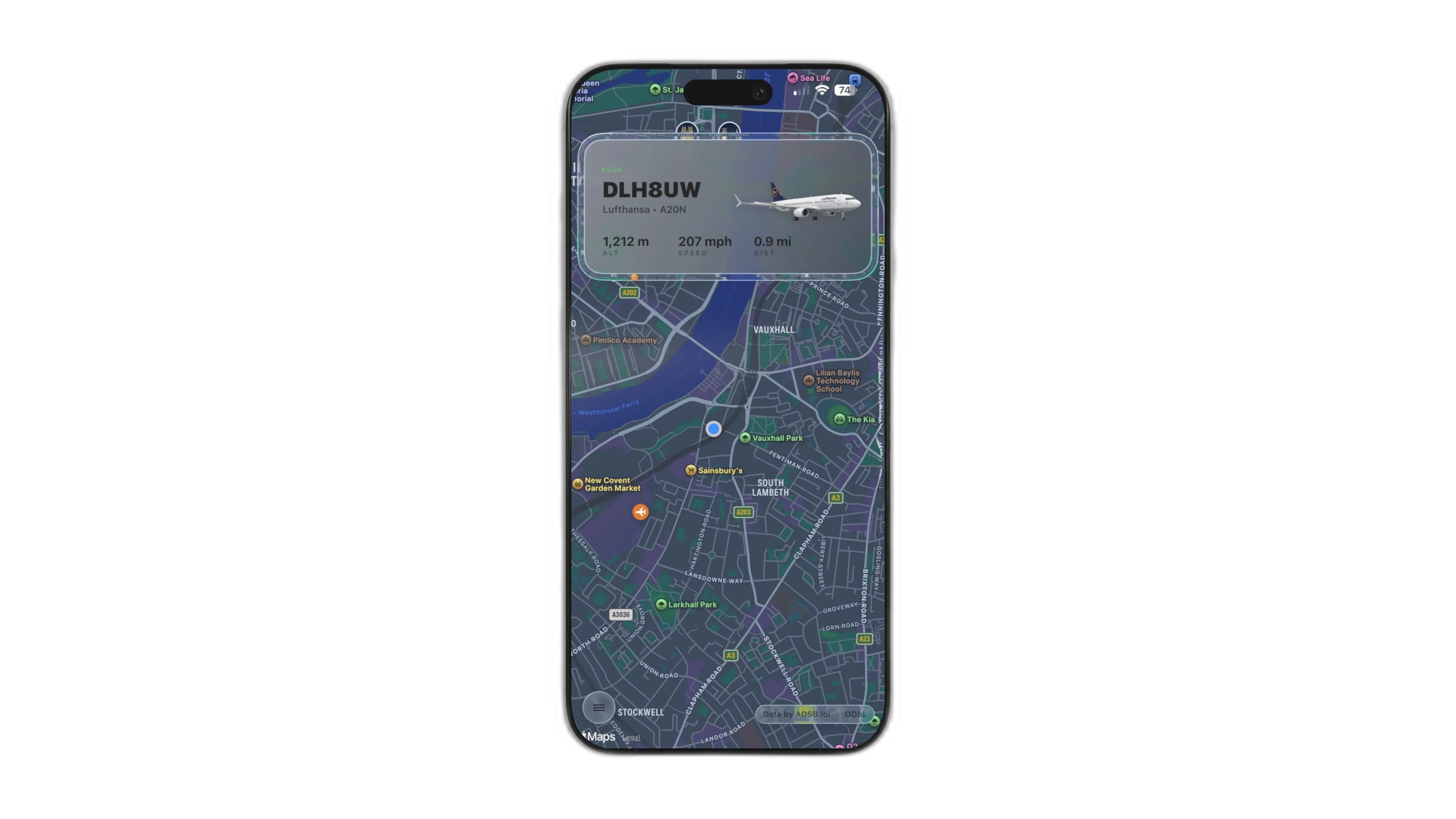
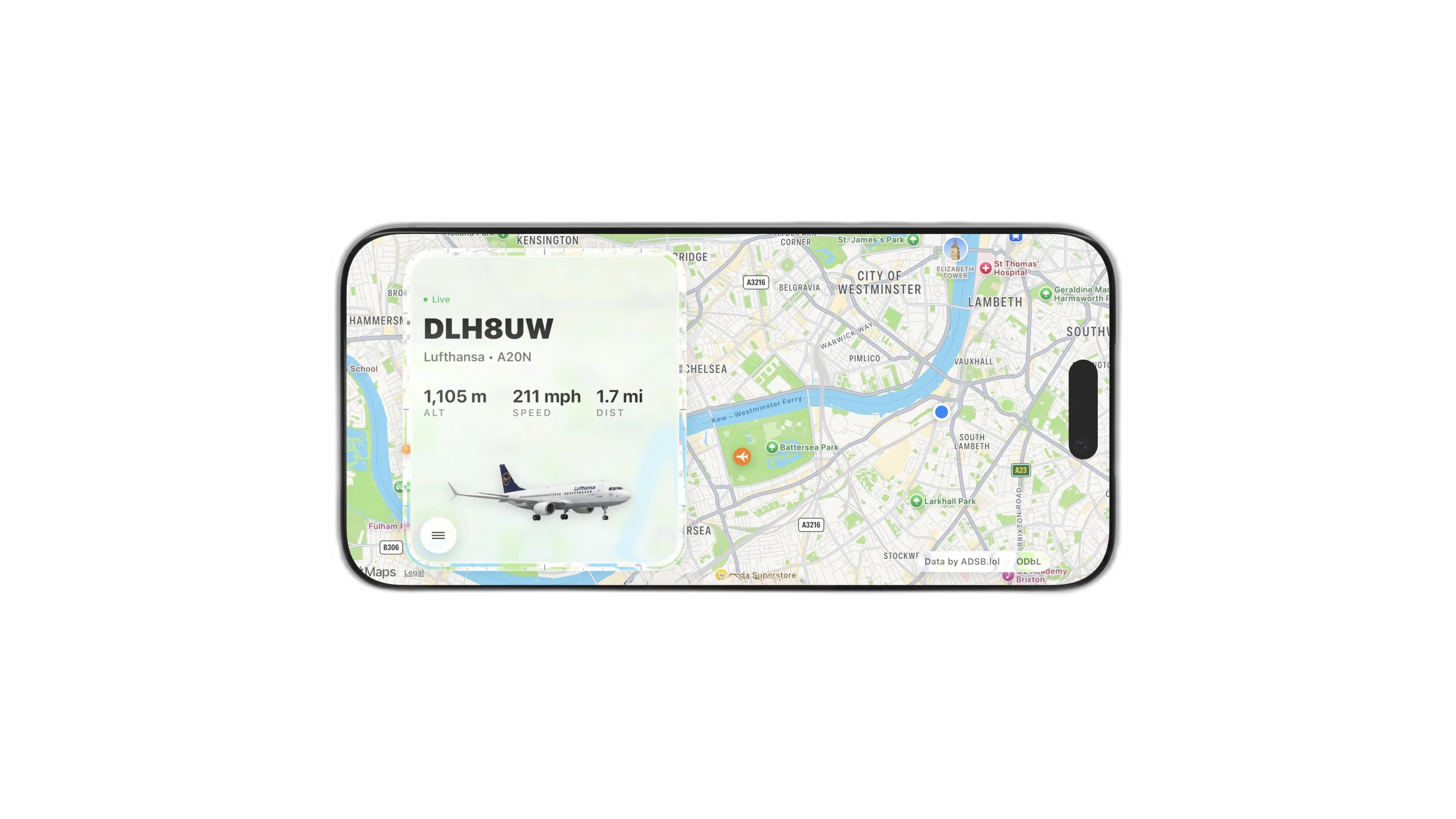
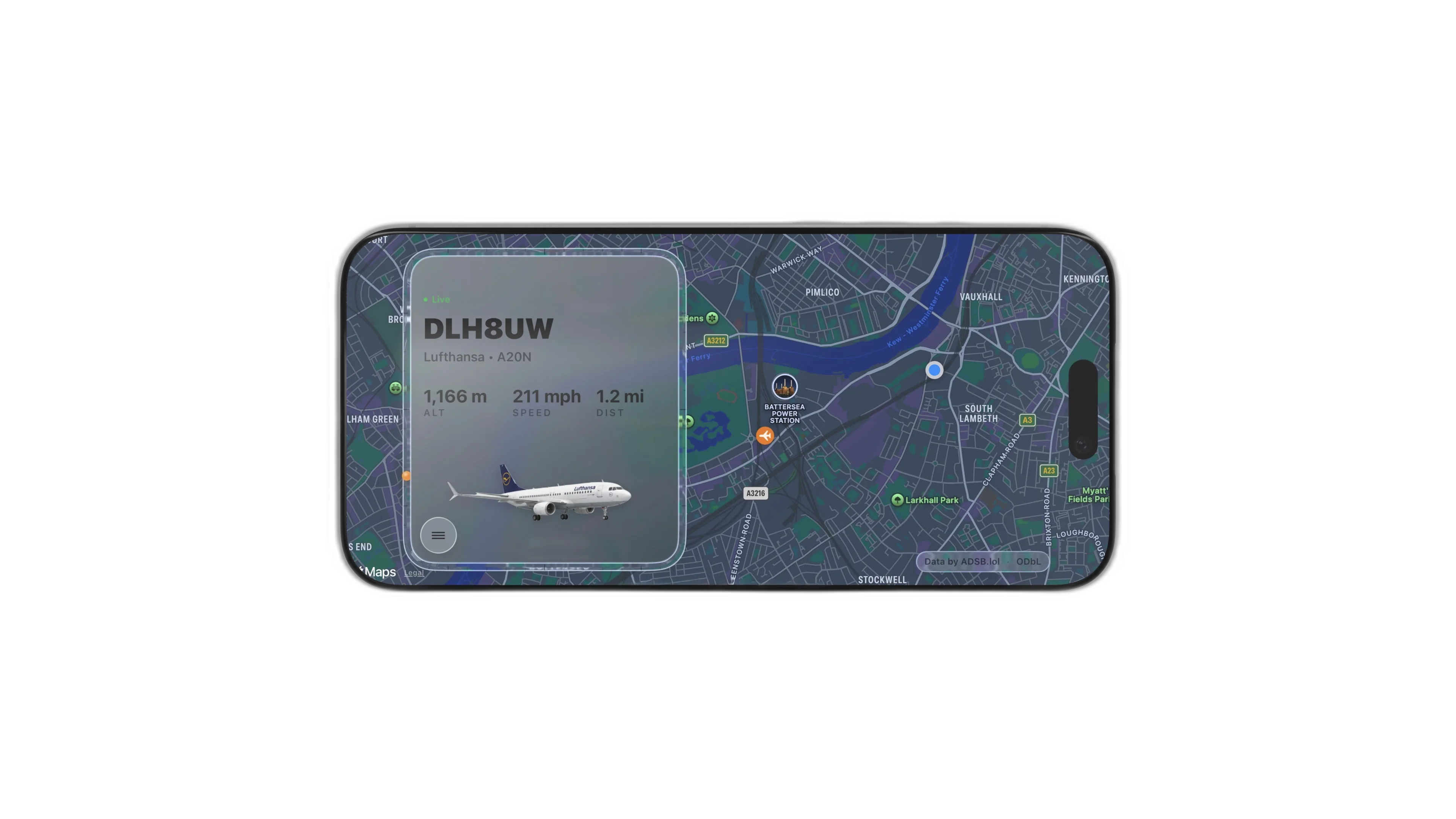
What Plane? uses ADS-B (Automatic Dependent Surveillance–Broadcast) data merged from the ADSB.lol and Airplanes.live receiver networks to detect aircraft within 30 nautical miles of your location. The app calculates 3D distance — combining horizontal distance and altitude — to find the truly closest aircraft, not just the one that appears nearest on a flat map.
When you hear a plane overhead, glance at your Home Screen widget to see:
The Compass Ring feature on the widget border shows the aircraft's bearing relative to your position, so you can look up and know exactly which direction to face. For aviation enthusiasts and casual observers alike, What Plane? transforms every overhead flight into an instant identification experience.
Flightradar24 is the world's most popular global flight tracker, designed for monitoring flights worldwide on an interactive map. What Plane? serves a different purpose: instant overhead identification. Instead of opening an app and searching a map, What Plane? puts the nearest tracked aircraft on your Home Screen widget. Tap to refresh, then open the app for the live map and more flight details. Availability depends on local receiver coverage and the aircraft broadcasting its position.
Think of Flightradar24 as your global flight dashboard and What Plane? as your personal aircraft identifier. They complement each other, but for the "what's that plane?" moment, What Plane? is purpose-built to be the fastest option.
Aviation enthusiasts who want to identify aircraft types, spot rare liveries, and track unusual flights without fumbling through a map-based app.
Curious observers who hear a plane overhead and want to know what it is in under 10 seconds — before it disappears from view.
Plane spotters at airports, along flight paths, or near military bases who need fast, reliable aircraft identification at a glance.
Parents and educators who want to turn everyday aircraft sounds into learning moments about aviation, geography, and technology.
Aircraft data is merged from ADSB.lol and Airplanes.live and updates regularly. Accuracy depends on receiver coverage and local signal quality.
Yes. Your location is used to calculate nearby aircraft, distance, and direction relative to you.
Email support@ratsystems.uk for support questions or feedback.
View the full policy at Privacy Policy.
See the nearest tracked aircraft on your iPhone or iPad Home Screen. Open the app to explore the flights around you.